Why Ocean Data Needs an AI Interface
I built six MCP servers to connect LLMs with coastal oceanography datasets. Here's the problem they solve

Data in operational oceanography is abundant, high quality, and yet often difficult to access efficiently.
Anyone who has worked with marine data knows the routine: searching for NOAA station IDs, navigating ERDDAP server URLs, and writing one-off Python scripts simply to check a current water level or retrieve a 24-hour storm surge forecast. Too much time is spent on data access and preparation, and not enough on analysis and interpretation.
At the same time, the way we interact with information is beginning to change. Large language models (LLMs) are becoming increasingly integrated into scientific and technical workflows. Rather than interrupting our work to write a script or manually query an API, we are beginning to expect a more natural mode of interaction: asking a question in plain language and receiving a direct, useful answer.
Until recently, connecting an AI assistant to live, trusted marine data sources typically required custom-built integrations, ad hoc APIs, or fragile web-scraping approaches.
That changed with the Model Context Protocol (MCP), an open standard that allows developers to expose tools and data sources to LLMs in a secure and standardized way.
Why operational oceanography?
Operational oceanography is especially well suited for this kind of interface. The field depends on a wide range of public data systems — real-time observations from buoys and tide gauges, forecast model outputs and guidances, hurricane products, and historical archives. These resources are highly valuable, but they are also distributed across different platforms, each with its own conventions, endpoints, and access patterns.
For a human user, even a simple cross-system question can require multiple manual steps before any actual analysis begins.
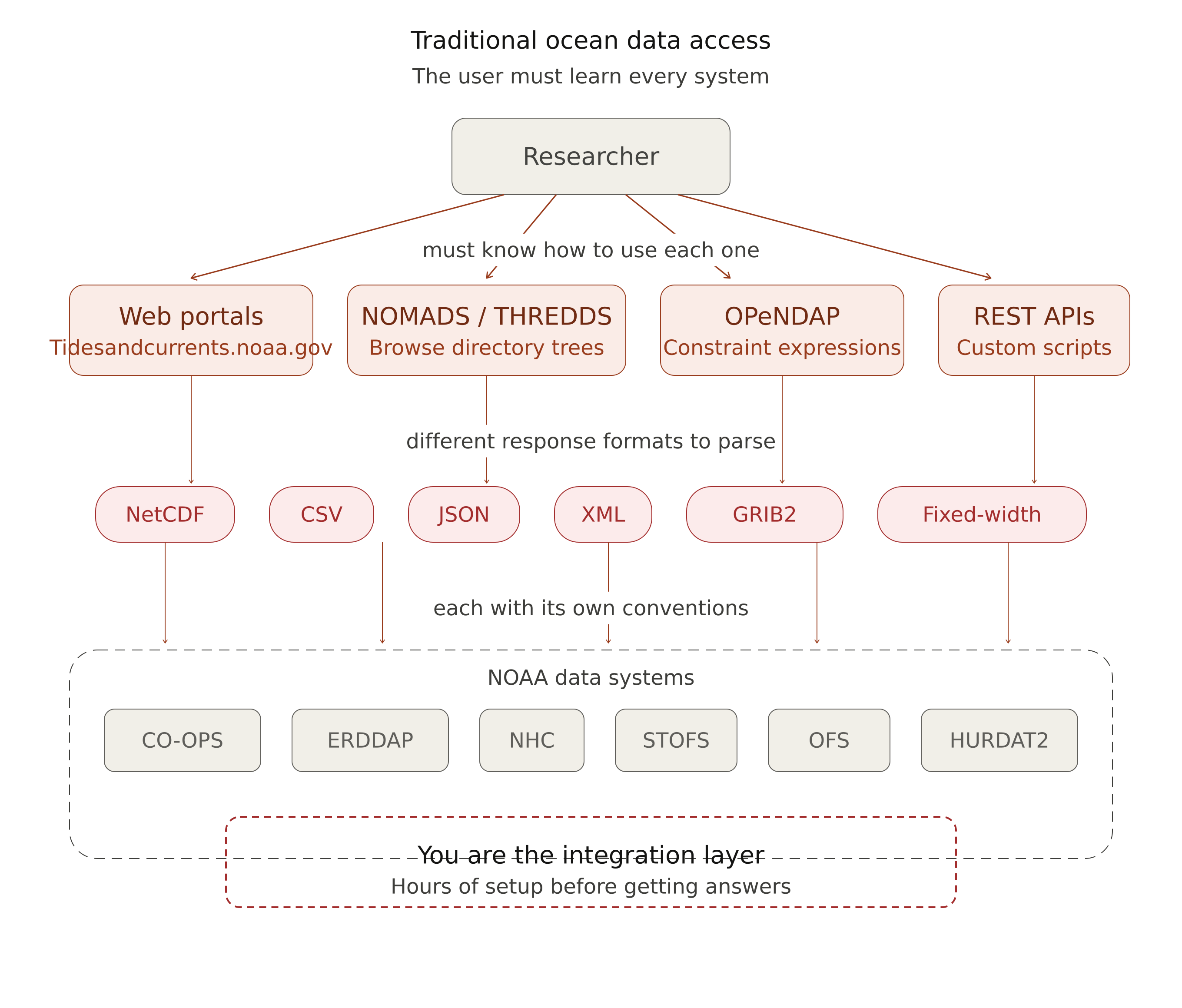
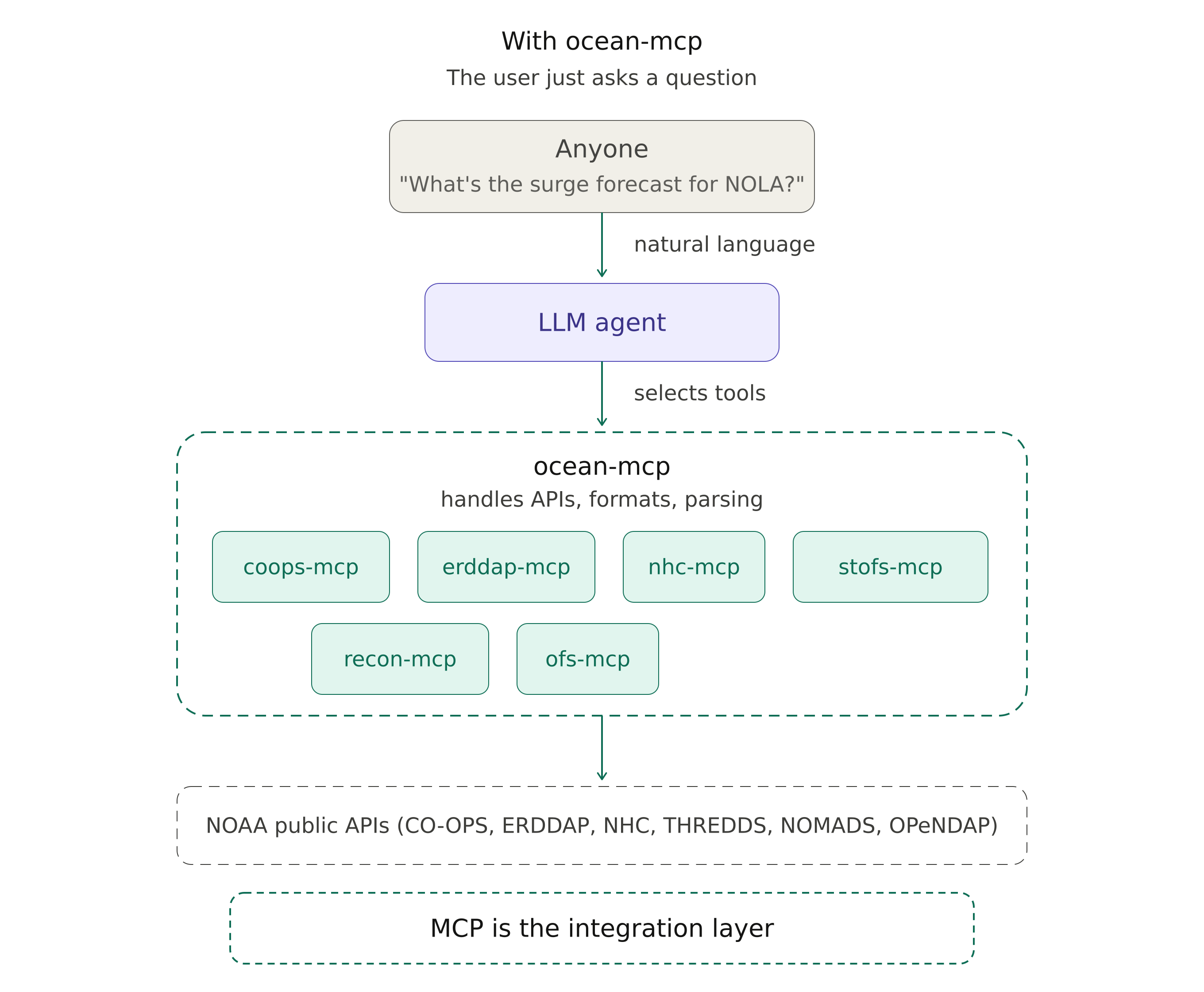
MCP helps shift that burden away from the user. Instead of requiring a scientist, forecaster, or developer to remember which API to query and how to structure the request, an MCP server can expose that functionality as a tool that an LLM can call directly. The user interacts in natural language, while the server handles the details of data access, parameter construction, and response formatting in the background.
Introducing ocean-mcp
This idea motivated my work on ocean-mcp, a collection of MCP servers designed to connect LLMs with operational ocean and coastal data sources. The goal is not to replace existing APIs or data services, but to provide a more natural and efficient interface to them. Rather than asking users to adapt themselves to each data system, ocean-mcp allows the interface layer to adapt to the user.
In its current form, ocean-mcp includes servers for several major marine and coastal data sources:
All six servers are open source (MIT), published on PyPI, and registered on the MCP registry. No API keys are required — everything uses publicly available datasets.
What this looks like in practice
Together, these servers make it possible for an LLM-powered assistant to answer practical questions such as:
What is the latest water level at The Battery?
Which tide stations are closest to Miami Beach?
Is there an active tropical cyclone in the Gulf of Mexico?
What does the latest storm surge guidance show near New Orleans?
More importantly, the agent can combine servers to answer questions that span multiple data systems in a single exchange, for example, checking NHC for active storms and then pulling the STOFS surge forecast for a threatened location, without the user needing to know which systems to query or how they work.
Beyond the chat interface
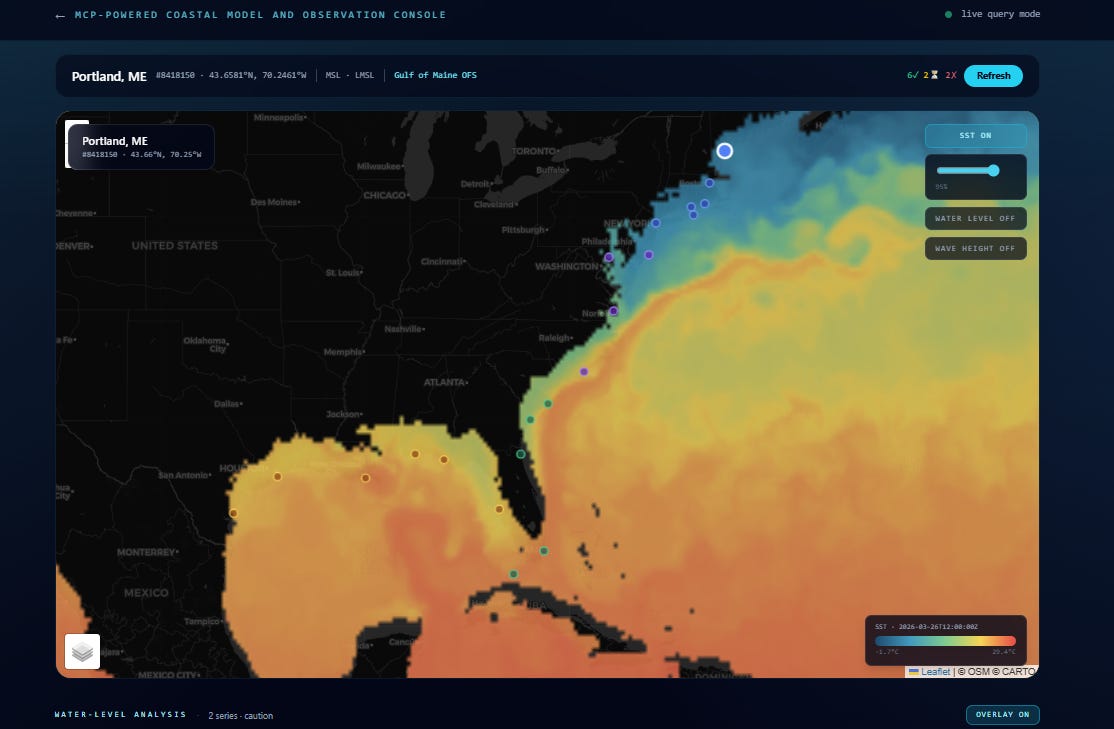
MCP servers are not limited to conversational AI. Because each server exposes a clean, standardized interface to its data source, the same tools can power web dashboards, monitoring pages, or any application that needs live ocean data without the overhead of managing multiple APIs directly.
I am currently building a web-based coastal data dashboard that queries ocean-mcp servers on the backend, providing a visual interface for tide conditions, active storm tracking, and forecast guidance — all drawn from the same MCP infrastructure described above.
Try it
Install any server with a single command:
uvx coops-mcpOr install all six:
pip install coops-mcp erddap-mcp nhc-mcp stofs-mcp ofs-mcpThe servers work with Claude Desktop, Claude Code, or any MCP-compatible client.
Get involved
ocean-mcp is open source under the MIT License and designed to grow with the community. If you’re an oceanographer, data scientist, or developer who works with marine data, I’d welcome contributions whether that’s a new server for a dataset you use, a bug report, or a suggestion.
Source, documentation, and configuration examples: